Image Trace 3D - Convert 2D Logos and Images into 3D Objects Instantly





What Image Trace 3D does
Image Trace 3D is a Blender add-on that converts a flat 2D image into a real 3D object. Load a PNG, JPG, BMP, or TGA file, click Trace Image, and the add-on traces the shape's outline and builds it as a Blender curve. From there you can extrude it into a solid filled object or keep it as a hollow outline, then finalize it into a mesh with one more click.
Everything runs inside Blender's own 3D Viewport sidebar. There is no external app to open and no file to export and re-import.
The problem it solvesTurning a logo or icon into a 3D shape usually means leaving Blender. The typical route is: open the logo in Illustrator or Inkscape, trace the bitmap, clean up the resulting paths by hand, export it as an SVG, then import that SVG back into Blender and fix the curve before you can extrude it. That is four or five steps across two programs before you even start animating.
Image Trace 3D removes that whole detour. The tracing, the curve creation, and the extrusion happen in the same window where you'll build the rest of your scene.
How it works- Open Image - pick a PNG, JPG, BMP, or TGA file from the sidebar.
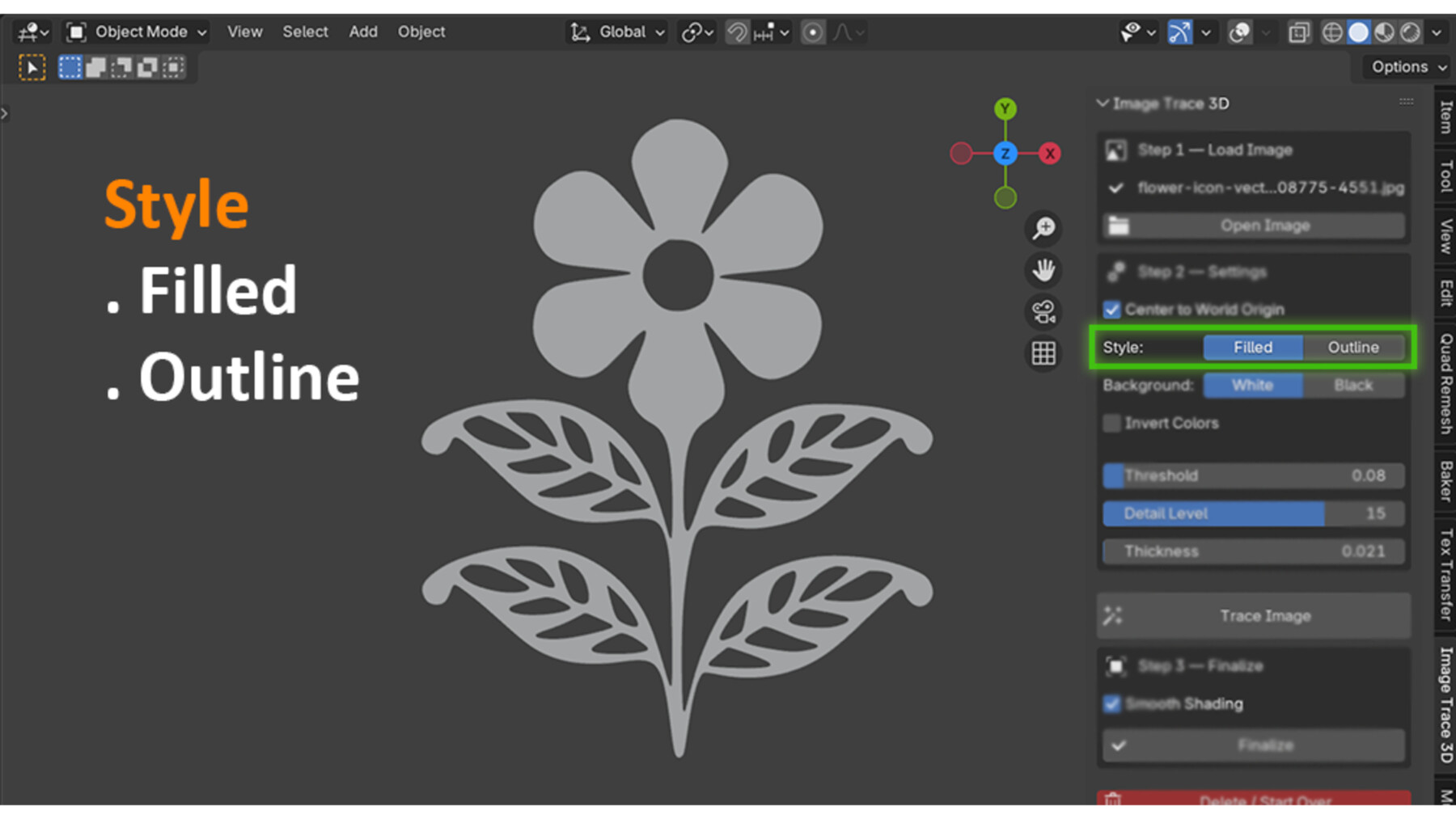
- Adjust settings - choose Filled (solid 3D shape) or Outline (hollow wire shape), set the background color, and fine-tune Threshold and Detail Level until the preview shape looks clean.
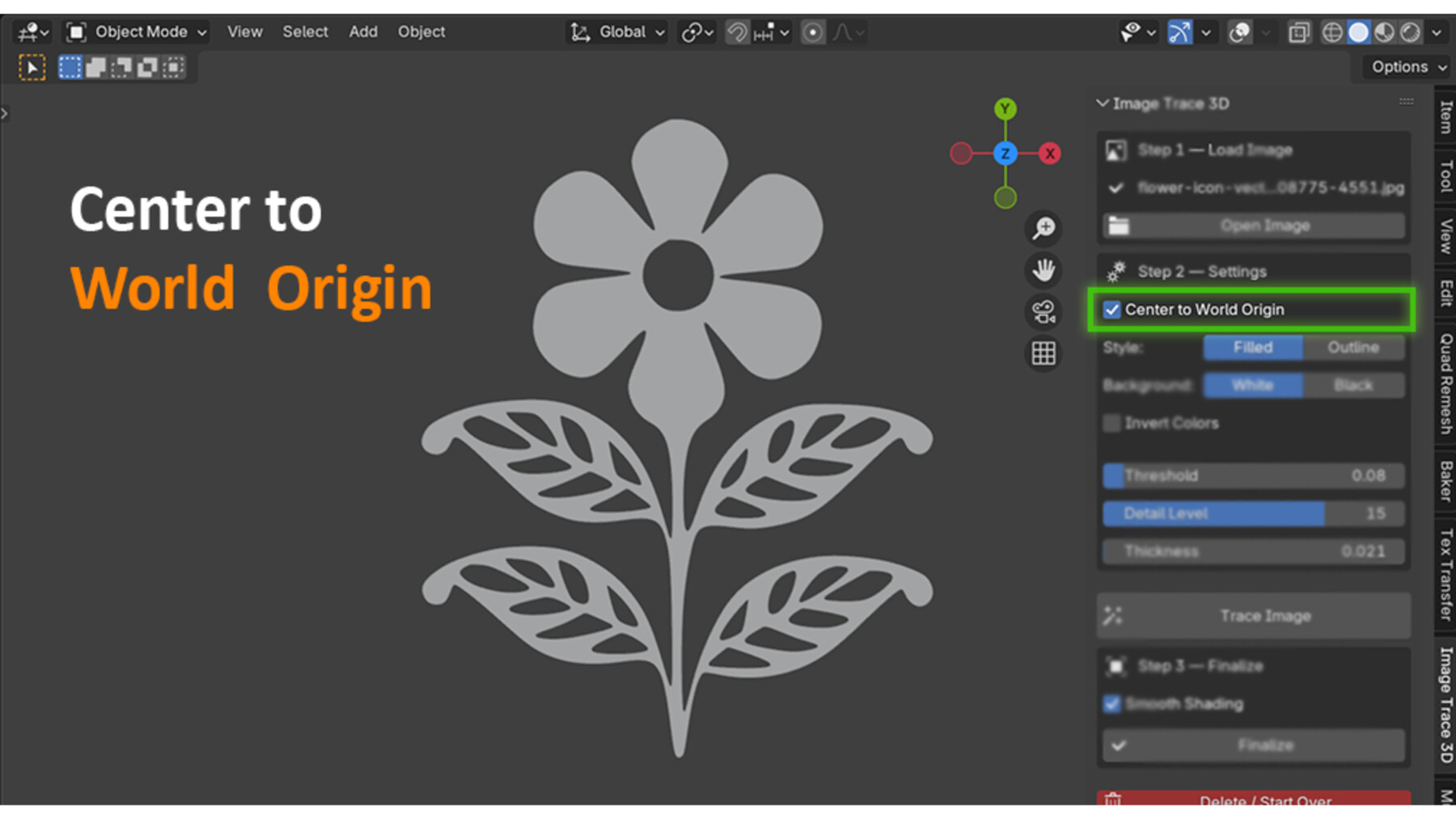
- Trace Image - the add-on detects the foreground shape and builds it as a Blender curve object, automatically centered at world origin if you want.
- Finalize - convert the curve to a mesh and apply smooth or flat shading, so it's ready for modifiers, booleans, or rendering.
- Delete / Start Over - not happy with the result? Clear it and retrace with new settings without cluttering your scene with leftover objects.
PNGs with a transparent background are handled automatically through the alpha channel, so you don't need to set a background color for logos that already have transparency.
Who this is for- Motion designers building 3D logo reveals and channel intros
- Freelancers and studios who animate client logos and need fast turnaround on revisions
- Game and icon artists who need simple 3D badges, gear icons, or symbol props
- Blender users who want a 3D logo without learning curve editing or vector software
- Anyone who wants a scanned drawing, stamp, or icon as a quick 3D shape
Manual tracing in Blender means placing curve points by hand around every corner of a logo, which is slow and rarely symmetrical. Routing through Illustrator or Inkscape works, but it costs you a license or a second app, plus the export/import round trip every time a client asks for a small tweak. Image Trace 3D keeps the entire loop, from raster image to finished mesh, in one panel. Change the Threshold slider, click Trace again, and you have a new result in seconds.
What it's notImage Trace 3D traces a single foreground shape against a background. It's built for logos, icons, and flat silhouette artwork, not full-color vector conversion of photographs. If you need separate colored regions like Illustrator's Image Trace produces, this add-on won't split those out. It works best on clean, high-contrast source images.
Technical notes- Built on Blender's own Python and numpy, both of which ship with Blender. Nothing extra to install.
- Works fully offline. Nothing is uploaded anywhere, which matters if you're tracing an unreleased client logo.
- Compatible with Blender 3.0 and later.
- Once finalized to a mesh, the object is a normal Blender mesh, so it works with every standard export format Blender supports (OBJ, FBX, STL, glTF, and so on).
FeatureBenefitOne-click raster-to-3D tracingSkip Illustrator, Inkscape, and the SVG export/import round trip entirelyFilled or Outline styleGet a solid 3D logo or a hollow wireframe-style shape from the same source imageThreshold and Detail Level slidersDial in a clean trace on messy or low-contrast logos without touching the source fileAutomatic transparent PNG handlingLogos with alpha transparency trace correctly with zero manual maskingCenter to World OriginEvery result lands at (0,0,0), ready to rig for animation without manual repositioningAdjustable Thickness (extrude depth)Control how chunky or subtle the 3D shape looks straight from the trace stepFinalize to mesh with shadingConverts to a real mesh with smooth or flat shading applied, ready for modifiers and renderingDelete / Start OverClear a bad result and retry instantly without leaving orphaned objects in your sceneRuns in Blender's native sidebarNo external software, no license for a second app, no context switchingWorks fully offlineNothing leaves your machine, safe for confidential or unreleased client artwork
Workflow Benefits- Fewer apps, fewer steps. The old path is Illustrator or Inkscape for tracing, then Blender for the 3D work. This add-on collapses that into one app.
- Faster client revisions. If a client wants the logo shape adjusted, you retrace with new slider values in seconds instead of re-exporting an SVG.
- No vector cleanup step. You don't inherit messy anchor points from an external tracer, since the curve is built directly for Blender's spline system.
- Non-destructive until you commit. The result stays a curve, editable and adjustable, until you choose to Finalize it into a mesh.
- Keeps your scene clean. Delete / Start Over removes the previous trace automatically when you run a new one, so you don't end up with a dozen leftover "Traced_" objects.
- 3D logo reveal animations for YouTube intros, brand videos, or client reels
- Product mockups that need a brand logo rendered in 3D on packaging or signage
- Game and app icon props, like badges, gears, or achievement symbols, turned into simple 3D assets
- Social media motion graphics, where a flat brand mark needs to pop into a Reel or TikTok as a 3D object
- Rapid prototyping of a silhouette shape before refining it further with Blender's modeling tools
- Hobby projects, turning a child's drawing, a stamp, or a simple icon into a fun 3D object